WX3540X oasiscloud platform account login authentication failed
- 0 Followed
- 0Collected ,1188Browsed

Network Topology
None
Problem Description
Oasiscloud platform account login authentication failed, and the error was reported as follows:
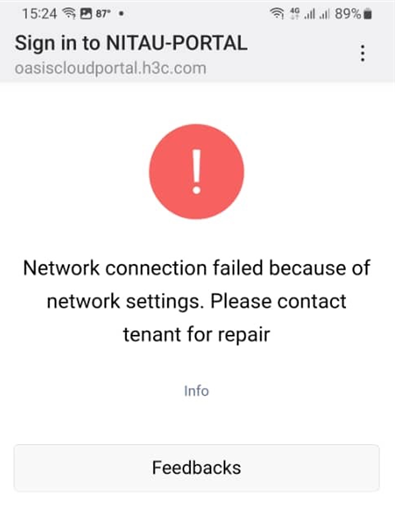
Process Analysis
1. Check connectivity:
The on-site terminal can ping the oasiscloud address;

2. Check that the on-site forwarding method is local forwarding. You can think of the following two common commands:
1) During local forwarding, there is no ARP entry for the Portal client on the AC. You need to enable the wireless Portal client validity check function: portal host-check enable;
2) When local forwarding and combined with cloud abbreviation are used for Portal authentication, the third-party authentication server will require the client to access the AC when returning the message. It is necessary to configure the interface for the client to access the AC during Portal authentication: portal client-gateway interface;
3. After completing the above commands on site, the authentication interface can pop up, but after entering the user name and password and clicking the login button, there is no response:
1) Change the browser and terminal for testing: the fault remains;
2) The configured portal client-gateway interface needs to be an interface that can communicate with the terminal: check the configuration to confirm that the vlan is a business vlan;
3) From point 2), we know that the terminal and AC need to communicate with each other. At this time, checking the configuration information found that Layer 2 isolation was enabled on the AP, but the MAC address of the AC was not released in the AP's map file.
Solution
The problem was solved after modifying the following three configuration points:
1. portal host-check enable;
2. Portal client-gateway interface;
3. Delegate the MAC address of the AC to the Layer 2 isolation configured in the MAP file.