
Problem Description
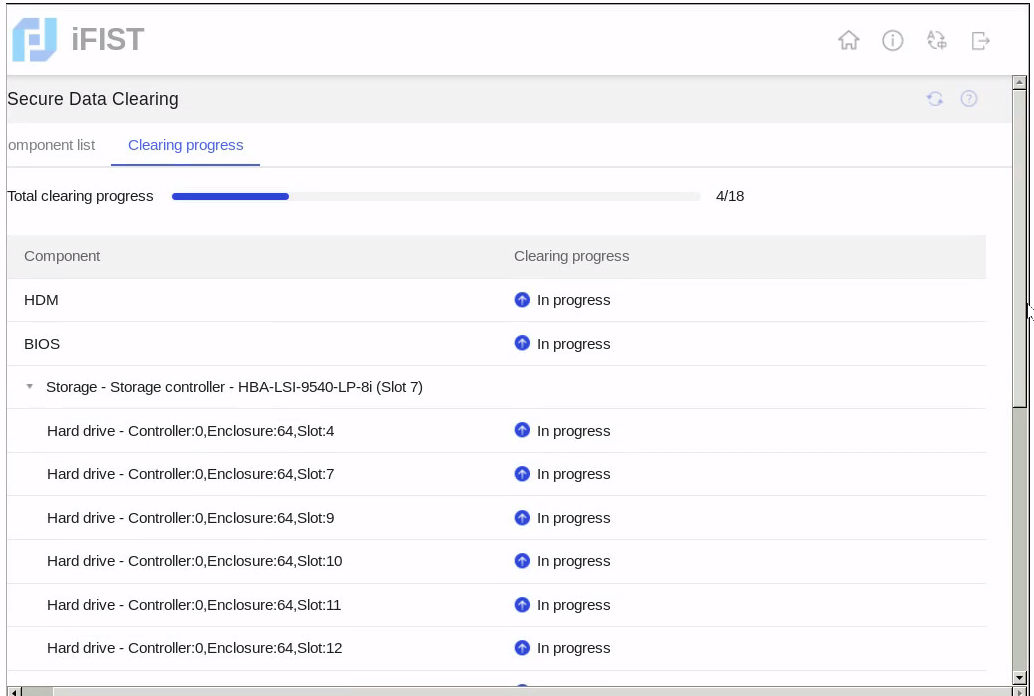
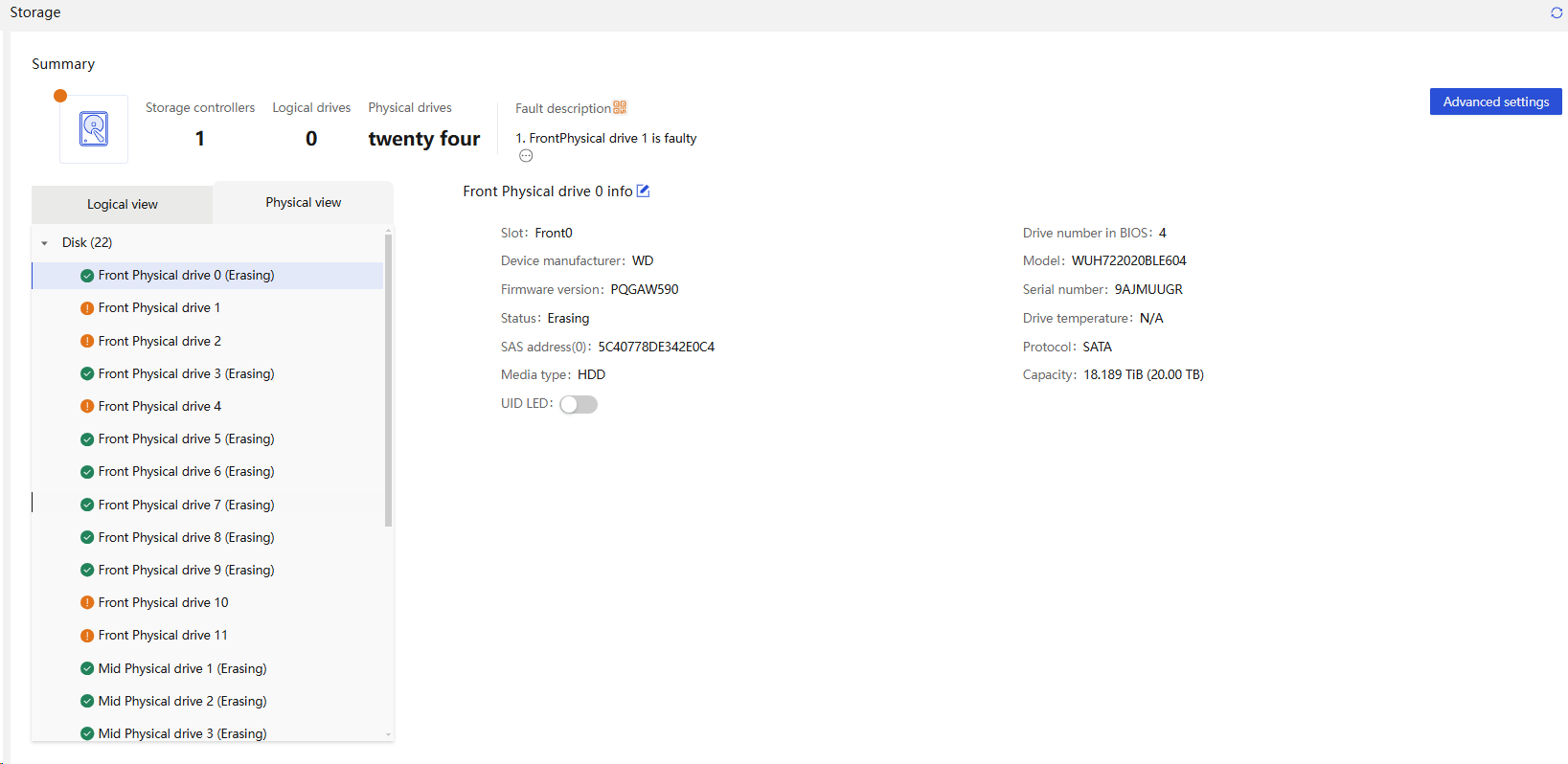
The R4900 G6 Ultra server performed a data security erase operation in ifist. After waiting for about 2 days, the progress remained at 4/18, and some drives in the HDM reported alarms. The on-site configuration was: LSI9540 connected to 20 20T SATA HDDs, 2 480G M.2 SATA SSDs, and 2 1.92T NVMe drives.
Process Analysis
1. Remotely checking the erase log in ifist shows that the current erase command failed because the drive was already in an erased state. It is suspected that an erase operation had been performed on-site previously, and another erase operation was initiated before the previous one completed.
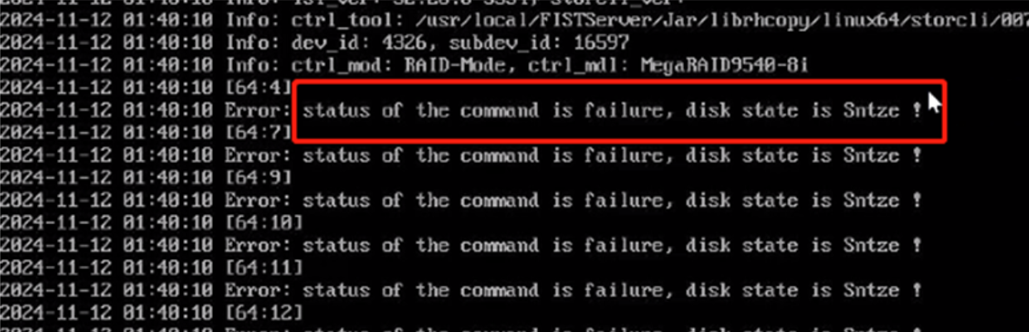
Meanwhile, the sds log also recorded multiple entries into ifist.
Info 2024-11-12 14:25:23 UTC+08:00 [2024-11-12 14:25:23.683 UTC+08:00][HDM210235A4CJ5249C0000F][AuditLog]4711[Success]:[N/A][USB][HOST] Logged in to iFIST successfully.
Info 2024-11-12 14:35:20 UTC+08:00 [2024-11-12 14:35:20.803 UTC+08:00][HDM210235A4CJ5249C0000F][AuditLog]4711[Success]:[N/A][USB][HOST] Logged in to iFIST successfully.
2. It is suspected that the customer forcibly terminated the last secure erase before completion and started over.
3. During this round of ifist secure erase, the customer powered off the overall system again before completion, disrupting the operation. After powering on, all drives triggered alarms, and the RAID controller failed to recognize the drives.
Solution
1. Once the secure erase operation in ifist starts, it cannot be terminated. Proceed with caution. Forced termination may cause drive failure. The final solution was to reorder all drives on-site.
2. The current ifist version is 1.70. SATA HDD erasure will be very slow, taking approximately one day per 1T capacity.ifist version 1.73 has optimized the secure erase function, significantly improving drive erasure speed.