A certain site S7500 switch portal authentication fails to pop up the authentication page
- 0 Followed
- 0Collected ,1560Browsed

Network Topology
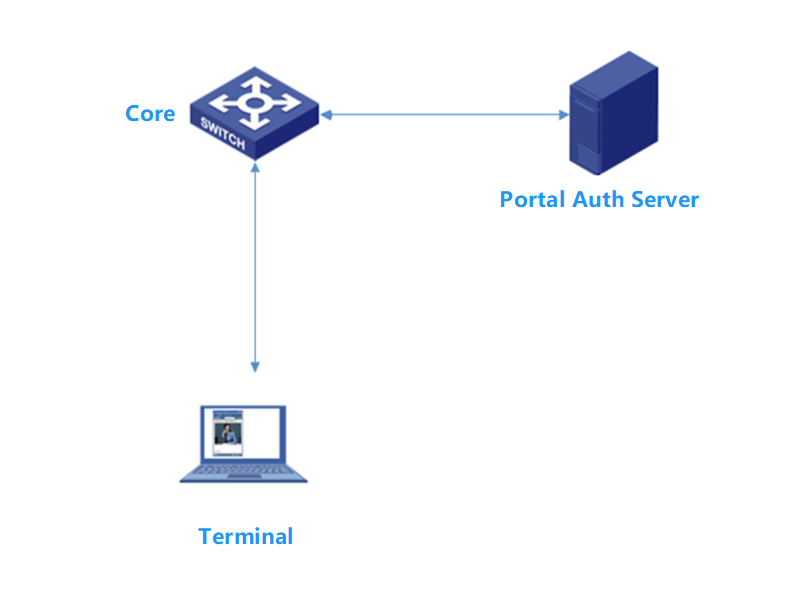
Core bypass authentication server connected to portal authentication terminals
Problem Description
After configuring portal authentication, the terminal fails to display the authentication interface
Process Analysis
Check portal server status normal
<1>dis portal server
Portal server: imc
Type : IMC
IP : 172.100.X.X
VPN instance : Not configured
Port : 50100
Server detection : Not configured
User synchronization : Not configured
Status : Up
Debug portal shows the following error
*Jan 9 23:31:33:219 2025 1 PORTAL/7/RULE: -Chassis=2-Slot=1;
[Inbound] execute full rule match, { MatchRes = [Rule4-Deny] }
L3 Interface = Vlan224, L2 Interface = BAGG9, VLAN = 224, SrcMac = 82b1-7406-XXXX,
SrcIP = 10.225.X.X, DstIP = 10.225.X.X
*Jan 9 23:31:39:206 2025 1 PORTAL/7/ERROR: -Chassis=2-Slot=1; Failed to get the host name for free rule.
Check configuration found that only the address to the portal server was allowed, need to also allow DNS port
portal free-rule 1 source ip any destination ip 172.100.X.X 255.255.255.255
Add the following command test passed
portal free-rule 1 destination ip any udp 53
portal free-rule 2 destination ip any tcp 53 //Allow DNS query UDP OR TCP port 53
portal free-rule 3 destination ip any tcp 5223 //Special case for iOS iPhone DNS query method
Solution
The following command test is normal
portal free-rule 1 destination ip any udp 53
portal free-rule 2 destination ip any tcp 53 //Allow DNS query UDP OR TCP port 53
portal free-rule 3 destination ip any tcp 5223 //Special case DNS query method for iOS iPhone