H3C server RAID controller tool Arcconf download method
- 0 Followed
- 0Collected ,5284Browsed

Problem Description
Note: The RAID controller tool Arcconf is applicable to PMC RAID controllers including P430 series HBA-1000-M2-1 H460 P460 P2404 P4408 series
To check the current server RAID controller configuration refer toH3C server hardware (HW) information acknowledgment method - Zhiliao Communityfor acknowledgment then search for the RAID controller firmware using the RAID controller name. The latest RAID controller tool is included in the RAID controller firmware package.
Process Analysis
H3C server RAID controller tool Arcconf download method
Solution
1.Open the software download (server) link:
http://www.h3c.com/cn/BizPortal/DownLoadAccessory/DownLoadAccessoryFilt.aspx
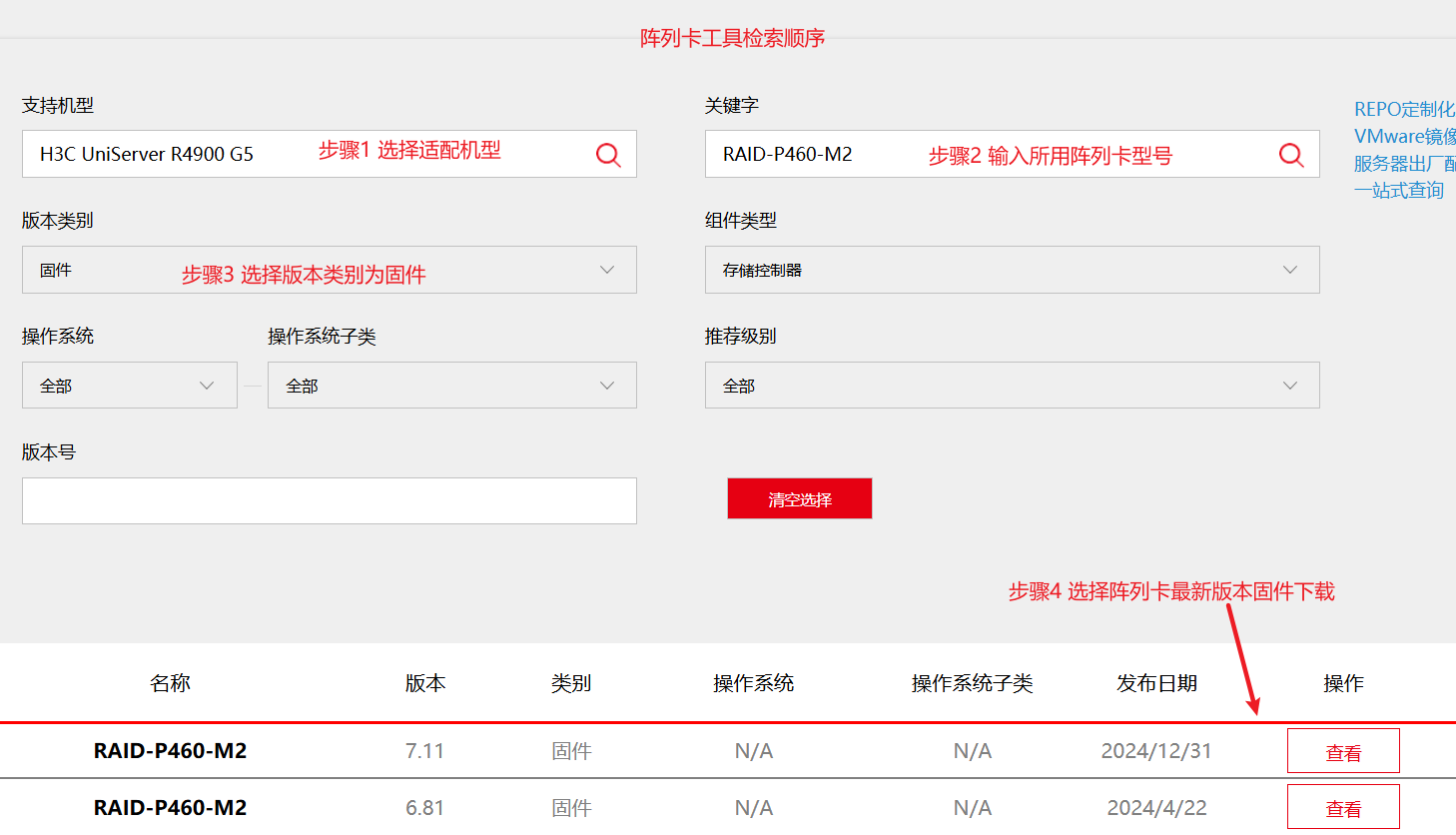
2.Please follow the retrieval sequence below: sequentially select the options Support Model, Keyword (RAID controller model), Version Type, Component Type, etc. to filter step by step. To obtain accurate results, ensure you filter in order. Example:
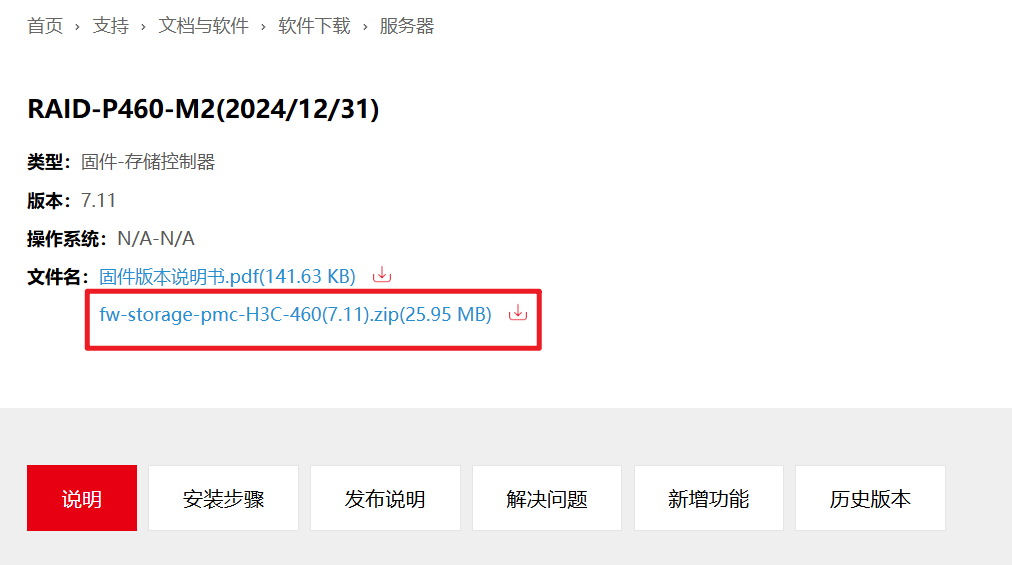
3.You can click View next to the corresponding software in the results column to go to the download page of that software. Example:

4.Go to the download page, which contains the following information
Type: The hardware (HW) type to which the software belongs;
Version: the version number of the software release;
Operating system: the supported OS versions for the software; firmware is not system-specific;
Filename: generally includes the current software package and manual; click to go to the download page.
The RAID controller tool is included in the RAID controller compaction file.
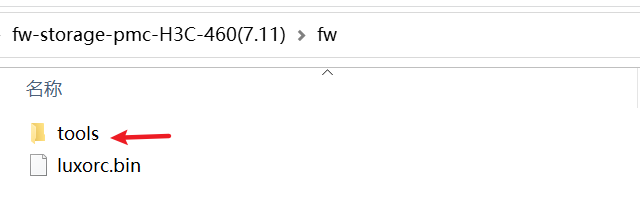
5. Extract the downloaded RAID controller firmware package. In the extracted folder, you can find the tools folder, which contains the RAID controller tool.
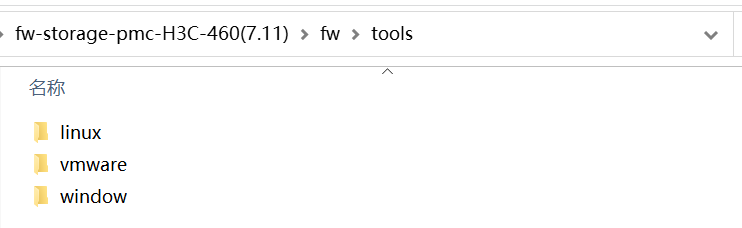
6. The tools folder contains arcconf RAID controller tools for mainstream Linux, Windows, and VMware system versions. Use the corresponding system version of the arcconf RAID controller tool based on the actual operating system running on the server.