A wireless terminal at a certain site obtains an address and goes online through VLAN1 (a non-planned service VLAN)
- 0 Followed
- 0Collected ,1612Browsed

Problem Description
At a certain site, the wireless service VLAN is VLAN200, but dis wlan client shows that some wireless terminals obtain addresses and go online through VLAN1 (a non-planned service VLAN).
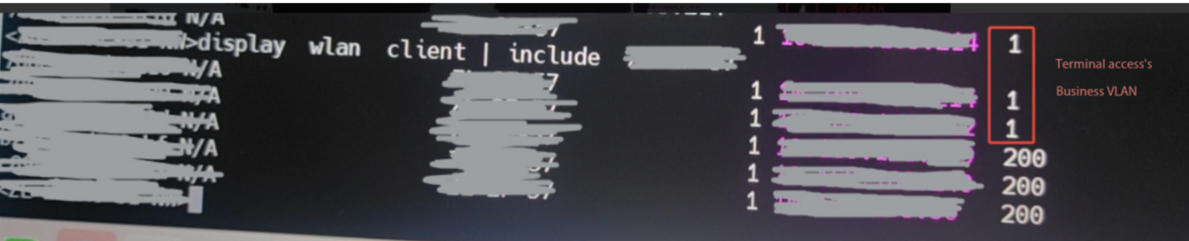
Process Analysis
The wireless service VLAN at a certain site is VLAN200, configured by binding the service VLAN to the service template under the AP group radio frequency (RF)(configuration as below). However, there is no relevant VLAN configuration in the service template(configuration as below).
However, due to incomplete configuration of binding service VLANs to the service template under the AP group radio frequency (RF) or the AP radio, i.e., only the service template is bound under the radio without VLAN restrictions (configuration as below), terminals may access the network through VLAN1. Since the uplink switch does not undo VLAN1, terminals can normally obtain VLAN1 addresses and perform Layer 3 roaming to other APs.
#
wlan service-template 3
ssid xx
beacon ssid-hide
client forwarding-location ap
akm mode psk
preshared-key pass-phrase cipher xx
cipher-suite ccmp
cipher-suite tkip
security-ie rsn
service-template enable
#
ap-model WA6522
radio 1
radio enable
service-template 3 vlan 200
.....
#
wlan ap xxx model xx
serial-id xxx
vlan 1
radio 1
service-template 3
.....
#
Solution
For this situation, ensure that the service VLAN is configured in the service template.
If not configured, check all configurations on the AC to confirm whether there are cases where only the service template is bound under the radio without VLAN configuration.
Our recommendation is:
1 Configure the service VLAN in the service template to avoid omissions during timing binding under the radio.
2 To prevent unnecessary broadcast storms, avoid using VLAN1 in the network. You can execute "undo vlan 1" on the uplink switch.