Some terminals experience occasional failure to connect to wireless
- 0 Followed
- 0Collected ,1910Browsed

Network Topology

AC is connected in bypass mode, linked to AP below, and AP connects PC.
Problem Description
Some terminals occasionally fail to connect to the wireless network.
Process Analysis
The log shows that the terminal actively went offline.
%Mar 17 10:16:14:651 2025 STAMGR/6/STAMGR_CLIENT_OFFLINE: Client XXXX-XXXX-XXXX went offline from BSS XXXX-XXXX-XXXX with SSID H on AP XX-6F-XX Radio ID 1. State changed to Unauth. Reason: Received deauthentication frame in Run state: reason code=3
The reason code for the terminal going offline at the fault time point is consistently 1025.

The reason was identified as the terminal actively initiating the disconnection.
display system internal wlan client history-record help reason-code 1025
Received deauthentication message in Run state.
All disruptions occurred on notebook computers, suggesting a terminal mechanism issue. It is recommended to collect the following information from the terminal.
1. Open cmd with administrator privileges. Execute netsh wlan show wlanreport.
2. The system information collection log phase will generate a report in the specified directory. Usually located at: C:\ProgramData\Microsoft\Windows\WlanReport\wlan-report-latest.html
3. Key points to check: Wireless Sessions
After collection, the following errors were found on the network card.
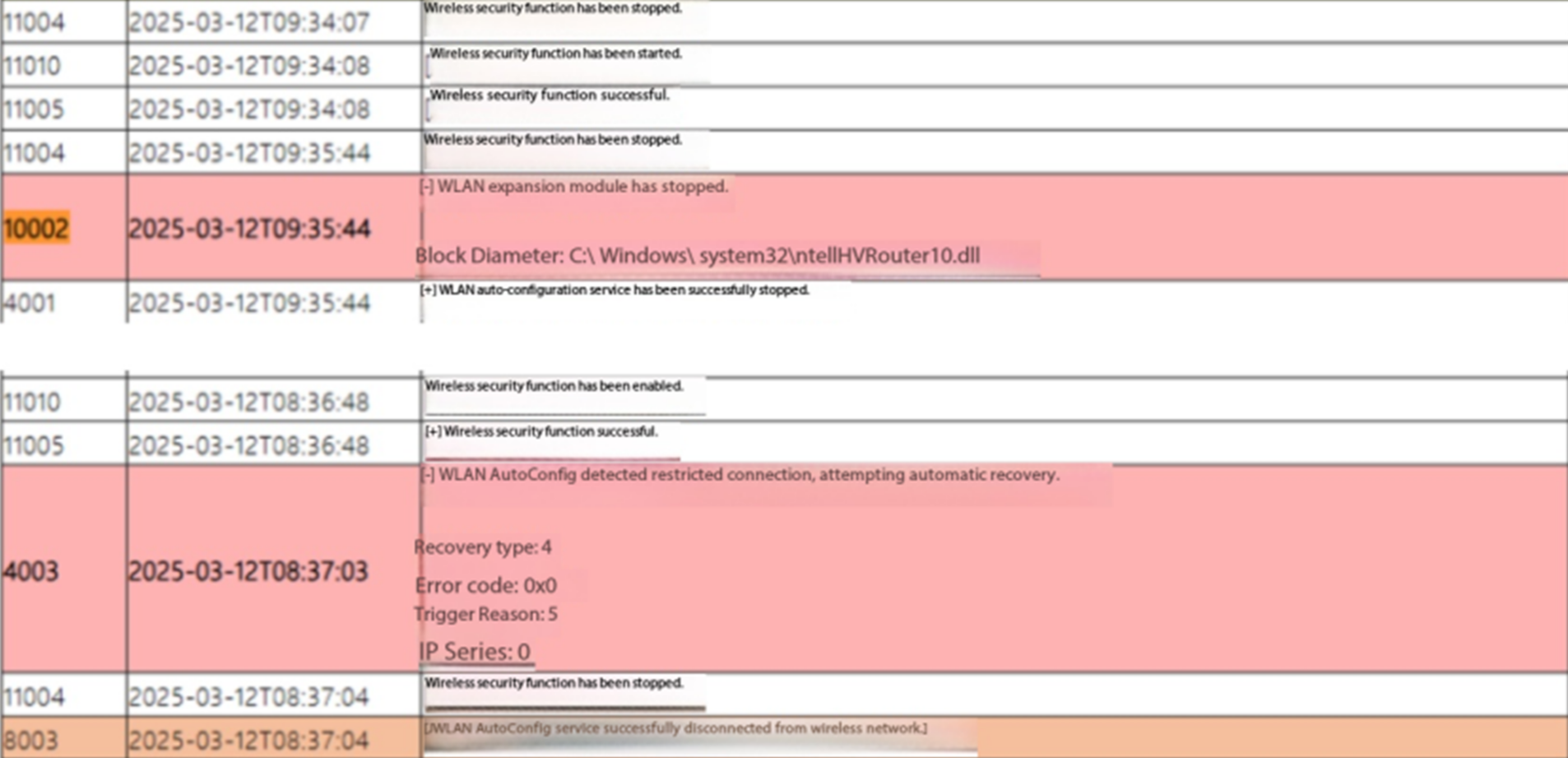
For this WLAN AutoConfig detected limited connectivity, after ruling out network communication issues (such as DHCP failing to obtain an address or address conflicts), can try modifying this registry. According to Microsofts explanation, the system will probe some external networks in the background. If the probe fails, it will disconnect and reconnect the wireless network. Modifying this registry will change this mechanism so that disconnection does not occur if the probe fails.
Solution
Normal after adjusting computer registry
Registry adjustment: can try adjusting registry settings to resolve this issue. Open registry editor (Run -> enter regedit), navigate to HKEY_LOCAL_MACHINE\SOFTWARE\Microsoft\WcmSvc, create a DWORD value named EnableBadStateTracking and set it to 0.