★ How to recover a hard drive in an Unconfigured Bad state?
- 0 Followed
- 0Collected ,4281Browsed

Network Topology
NULL
Problem Description
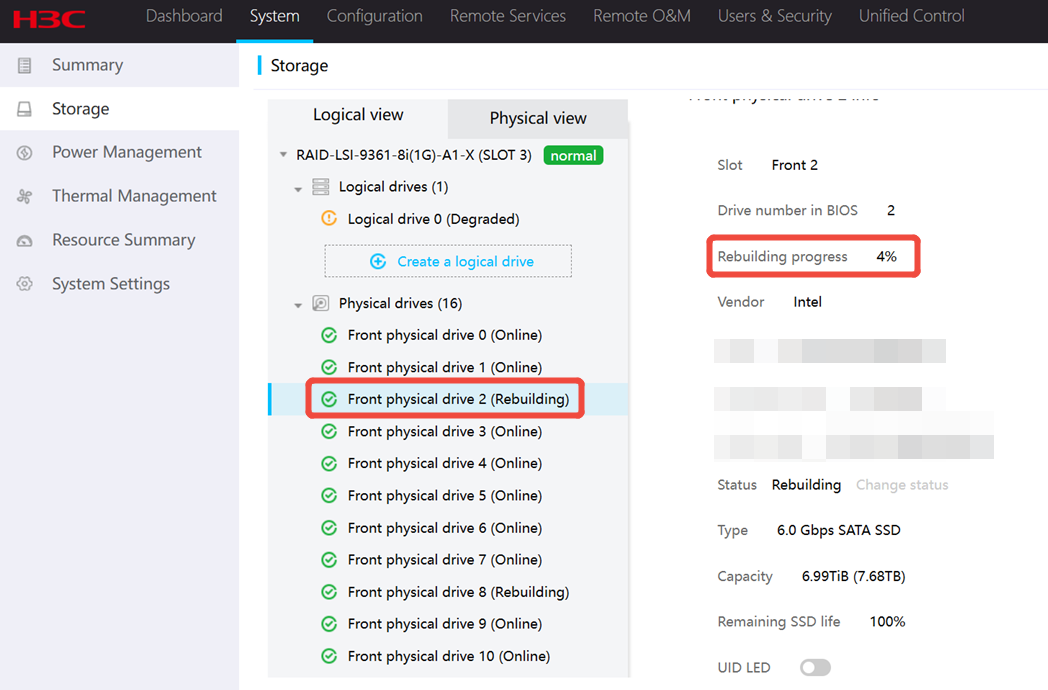
The R4300 G5 uses an LSI-9361 RAID card, the hard drive cannot automatically recover from UG state.
Process Analysis
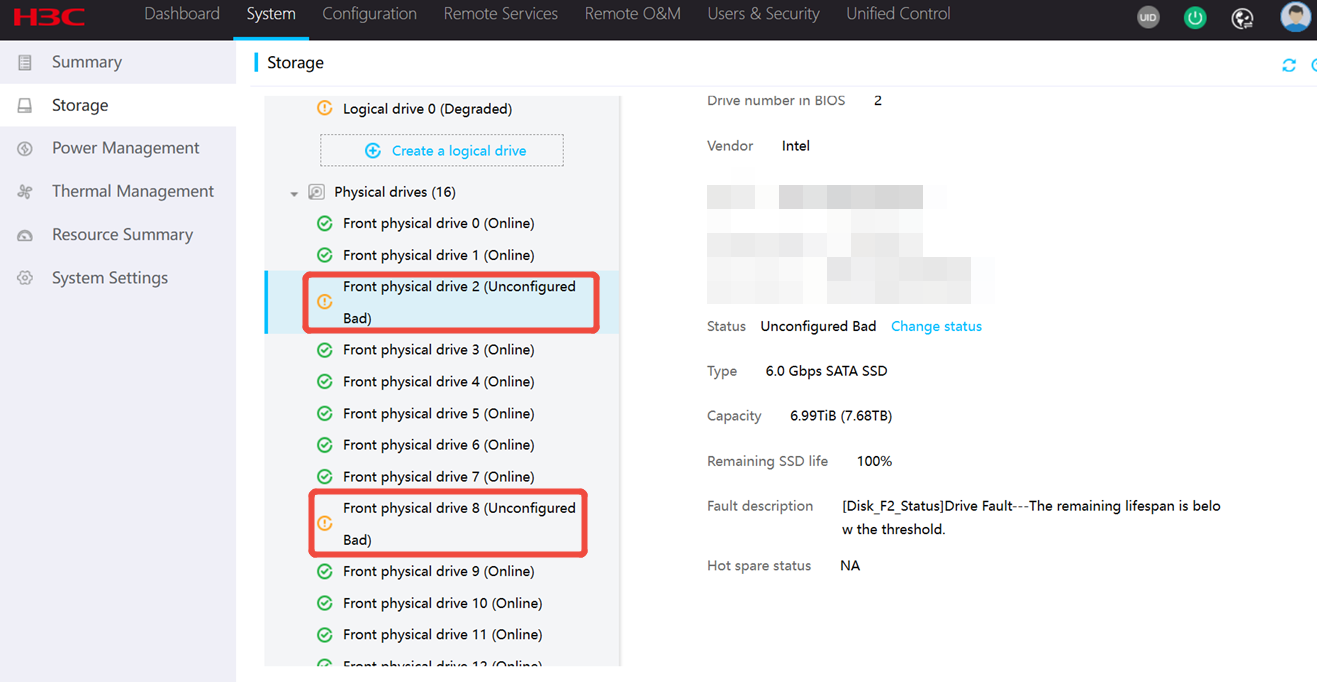
Unconfigured Bad means the physical drive is in abnormal state. To use the physical drive, you must change the physical drive state to Unconfigured Good. If an error has occurred on the physical drive, you will fail to change the physical drive state. In this case, you need to replace the faulty drive.
Solution
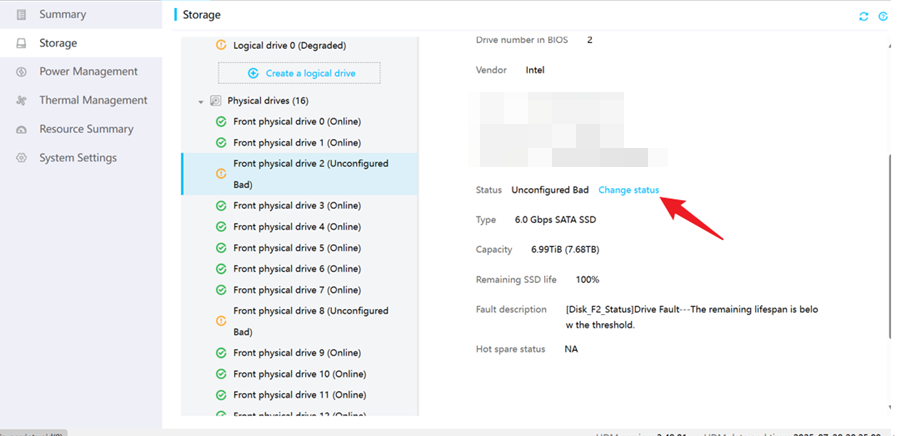
1. First, you need to switch the hard drive from Unconfigured Bad to Unconfigured Good. You can do this by clicking on the HDM interface or by using a command in the OS.
HDM:
OS:
storcli64 /c0 /ex /sx set good force //The ex and sx can be viewed using the command ./storcli64 /c0 show
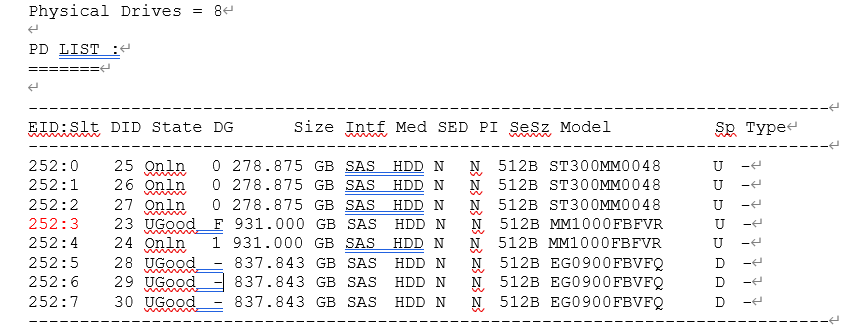
2. After the switch, the hard drive becomes Uconfigured Good (Foreign) status, but it means the physical drive has residual RAID information. After you clear residual RAID information, the physical drive state changes to Unconfigured Good.
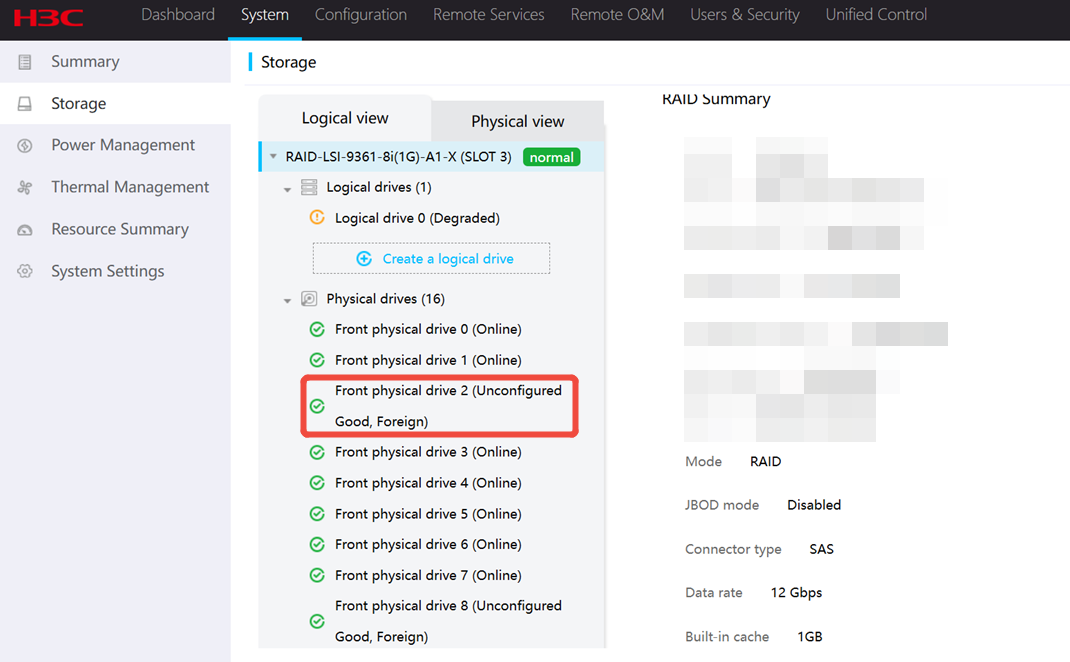
3. The hard drive's foreign information needs to be cleared. This can be done through the BIOS or by using the storcli command. However, to access the BIOS, the server needs to be restarted,we recommend clearing Foreign information from the system.
OS:
[root@localhost home]# ./storcli64 /c0 /fall del CLI Version = 007.1017.0000.0000 May 10, 2019 Operating system = Linux 4.18.0-193.el8.x86_64 Controller = 0 Status = Success Description = Successfully deleted foreign configuration
BIOS:
BIOS to clear the residual array information:
https://www.h3c.com/en/d_202412/2308196_294551_0.htm#_Ref533599477
NOTE: Refer to the part: Clearing RAID array information on the drive
4. Finally, wait for the hard drive rebuild to complete.