
Product Model
|
Announcement category |
Early warning |
|
Operational requirements |
Learn prevention, version upgrade, firmware upgrade |
I.
The following models support hard disk configuration with the same slot number on both front and rear hard disk backboards:
H3C UniServer Full Series Products
H3C UniStor Polaris X20000H
H3C UniStor Polaris X20000
H3C UniStor CX G6
H3C UniStor X10000 G6
Involved Version
For G6 devices:
HDM2-1.xx series versions lower than HDM2-1.86.02 (exclusive) all have this issue.
HDM2-2.xx series versions lower than HDM2-2.21.01 (exclusive) all have this issue.
For G7 devices:
HDM3-1.xx series versions lower than HDM3-1.28.02 (exclusive) all have this issue.
HDM3-2.xx series versions lower than HDM3-2.06.05 (exclusive) all have this issue.
Problem Description
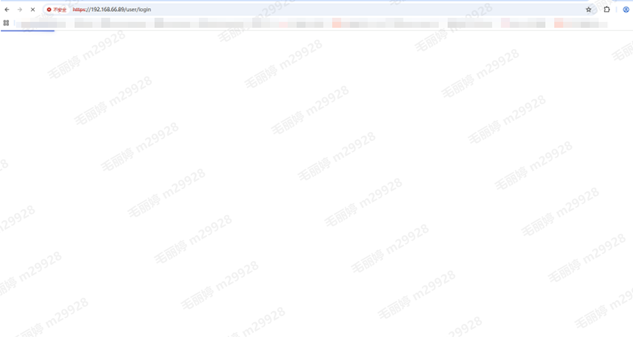
The HDM web interface shows a white screen, cannot be opened, and probably triggers an HDM restart.
Cause Analysis
In the early HDM software code, when hard disks were connected to the same numbered slots on the front/rear hard disk backboards, HDM would continuously update the full amount of hard disk information and write it to the database, resulting in too frequent write operations to eMMC. At the same time, HDM regularly retrieves the status information of eMMC. When the command to retrieve the status information is concurrent with the high-frequency write operation of eMMC mentioned above, there is a low probability that the eMMC write operation will generate abnormal returns, which will prevent the normal release of occupied storage space. At this point, all eMMC read and write operations will be blocked, the Redfish process will be unresponsive, unable to establish a new connection, the HDM web interface will appear white, unable to open, and may probabilistically trigger an HDM restart.
Workaround/Solutions
For G6 devices:
1. If currently using HDM2-1.xx version, it is recommended to upgrade to HDM2-1.87.02 and later versions.
2. If currently using HDM2-2.xx version, it is recommended to upgrade to HDM2-2.27 and later versions.
For G7 devices:
1. If currently using HDM3-1.xx and HDM3-2.xx versions, it is recommended to upgrade to HDM3-2.14.02 and later versions.