How to resolve browser incompatibility when using the SSH function in IMC V7?
- 0 Followed
- 1Collected ,981Browsed

Network Topology
Null
Problem Description
At the customer site, multiple network devices are managed via IMC V7. The customer intends to open the CMD interface for devices directly within IMC. SSH has been configured successfully, yet clicking the SSH button brings up a blank page.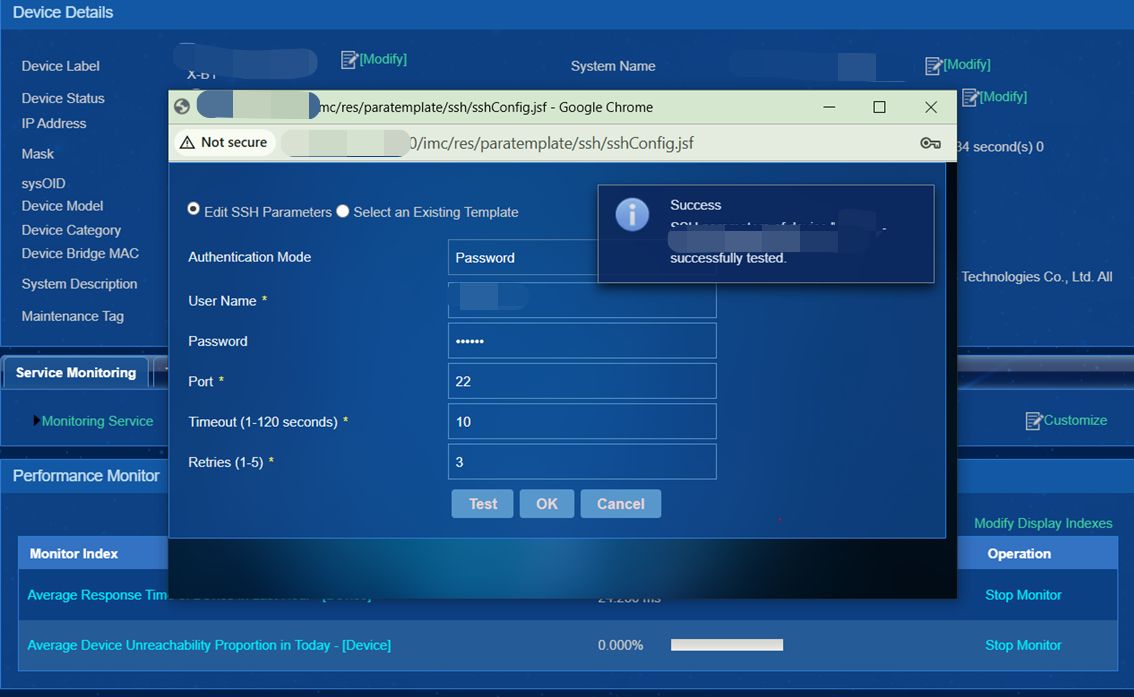

Process Analysis
The SSH function in IMC V7 is no longer supported in modern browsers due to the phasing‑out of relevant browser technologies. You may use Telnet/SSH Proxy or the SSH Plink function as alternatives.
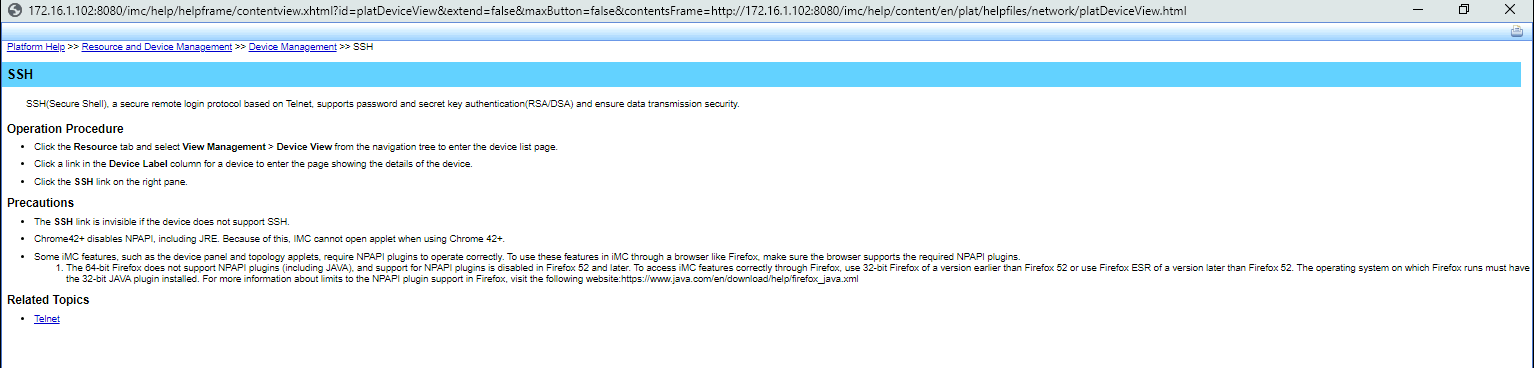
Unless you have special requirements, it is not recommended to install an older‑version browser for SSH usage.
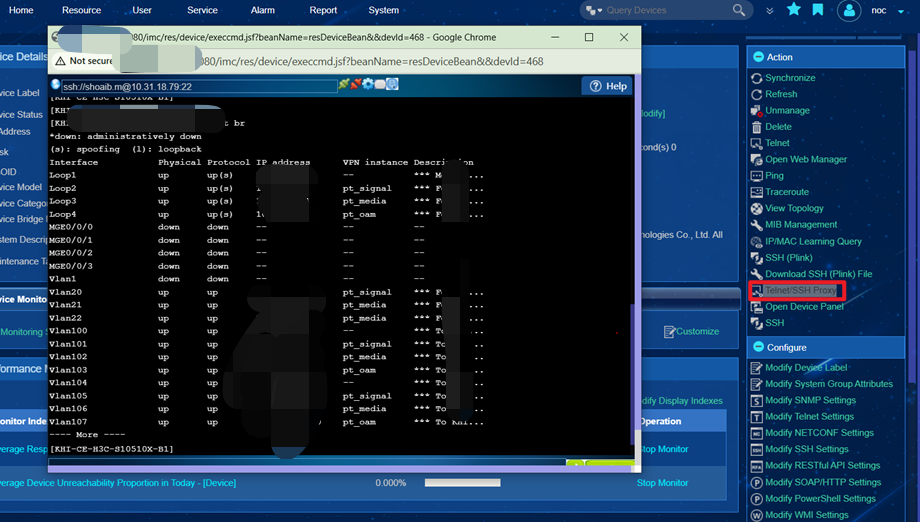
Telnet/SSH Proxy
SSH Plink
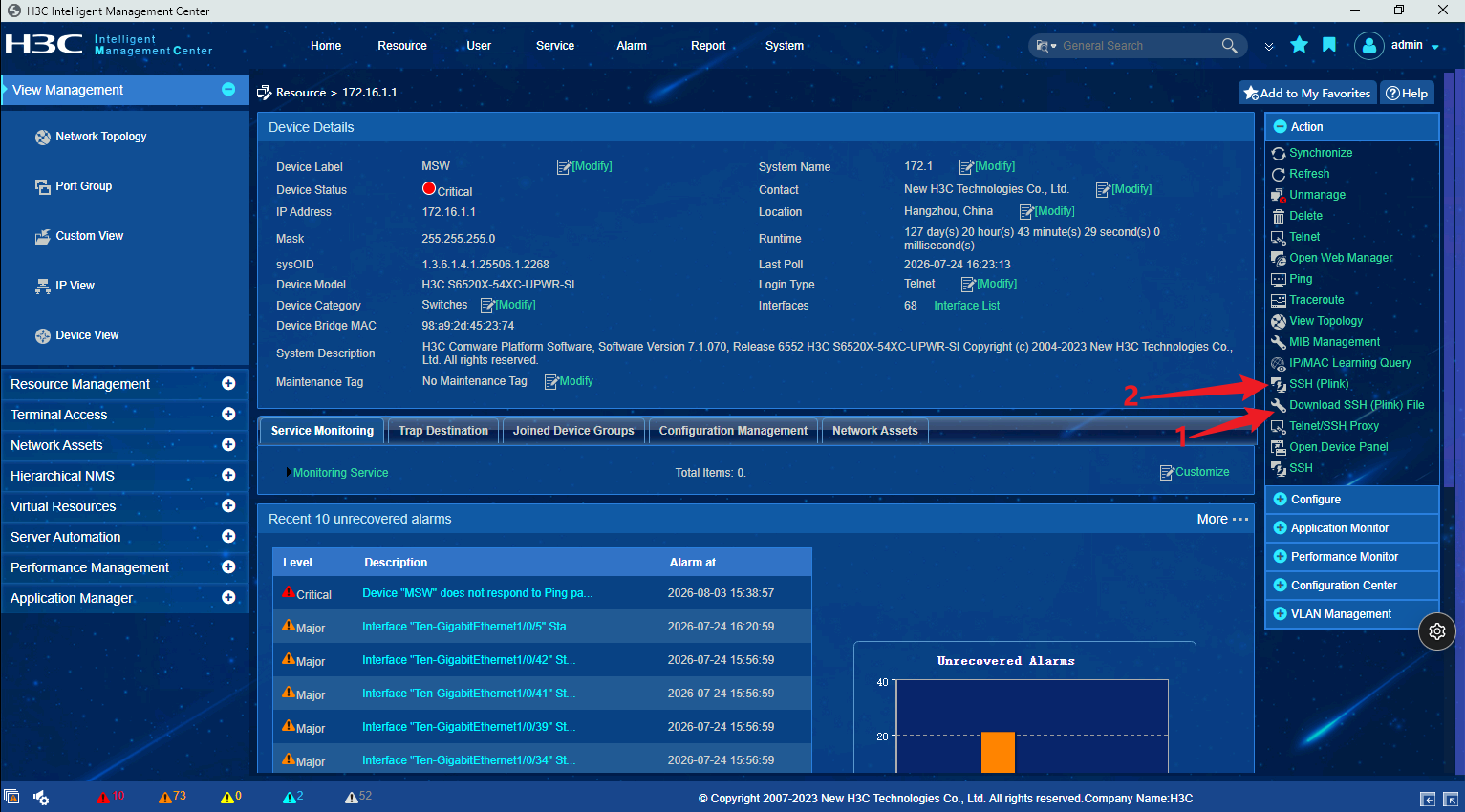
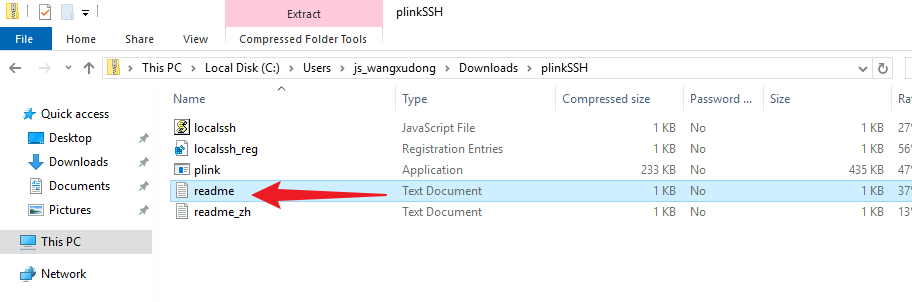
First, download the SSH Plink File, open the readme within the file, and complete the registration following the instructions. Then re‑enter IMC and click SSH Plink, and it will work properly.


Solution
As shown above, you can use the Telnet/SSH Proxy or SSH Plink function as an alternative to SSH.